Enrich watch history data with DDP Transcribe
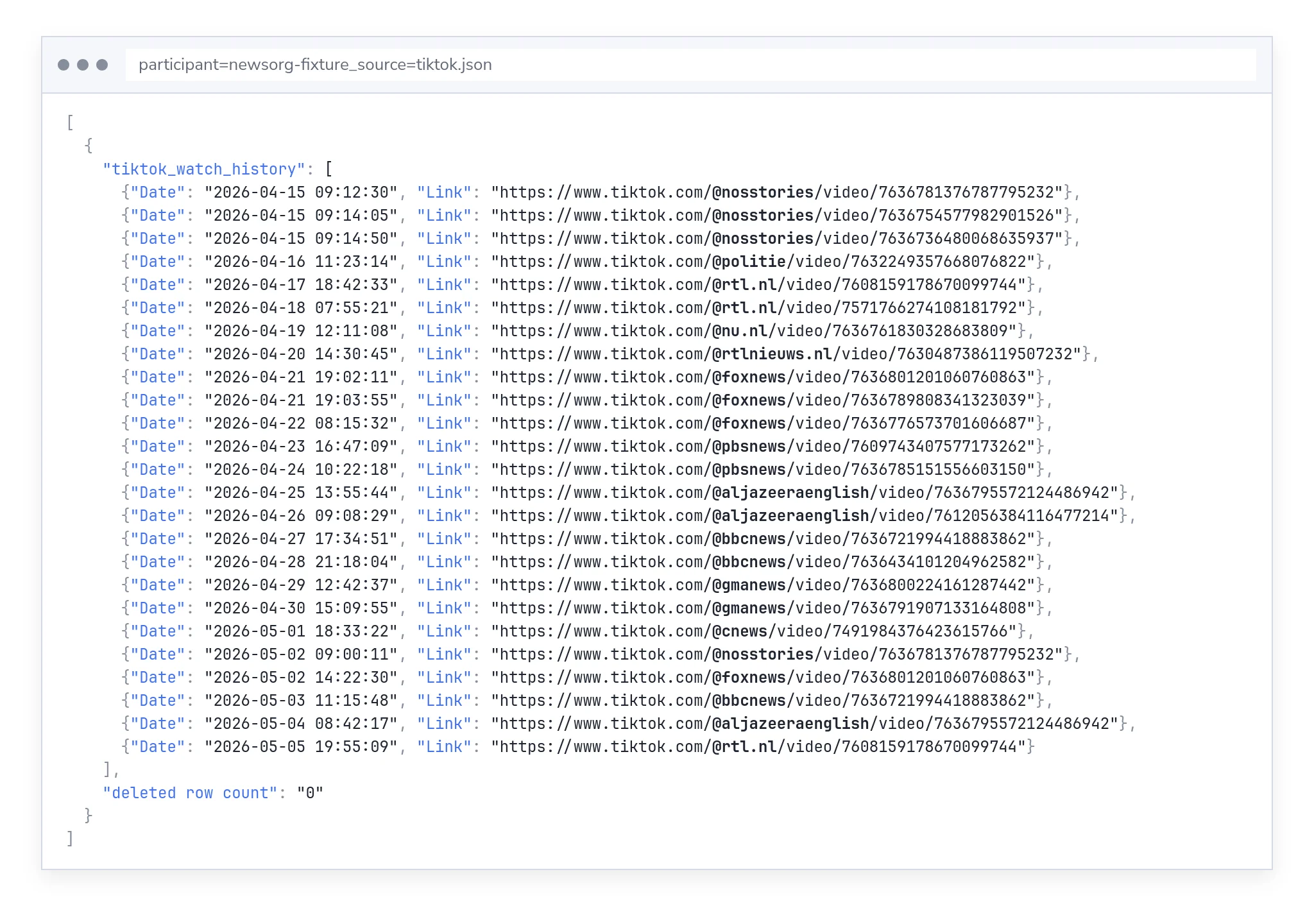
A donated watch history is a list of dates and links. It tells you which videos a participant watched, but most researchers who collect this data want to know what participants were exposed to. That means enriching the data by adding the content of the videos after donation. DDP Transcribe does this by transcribing the speech in each video.
How it works
Export the donations from Next and put them where the workspace can read them: on Yoda, on a mounted Research Drive, or in a folder in the workspace. The pipeline then runs five steps, with transcription handled locally on the workspace so no audio goes to an outside service.
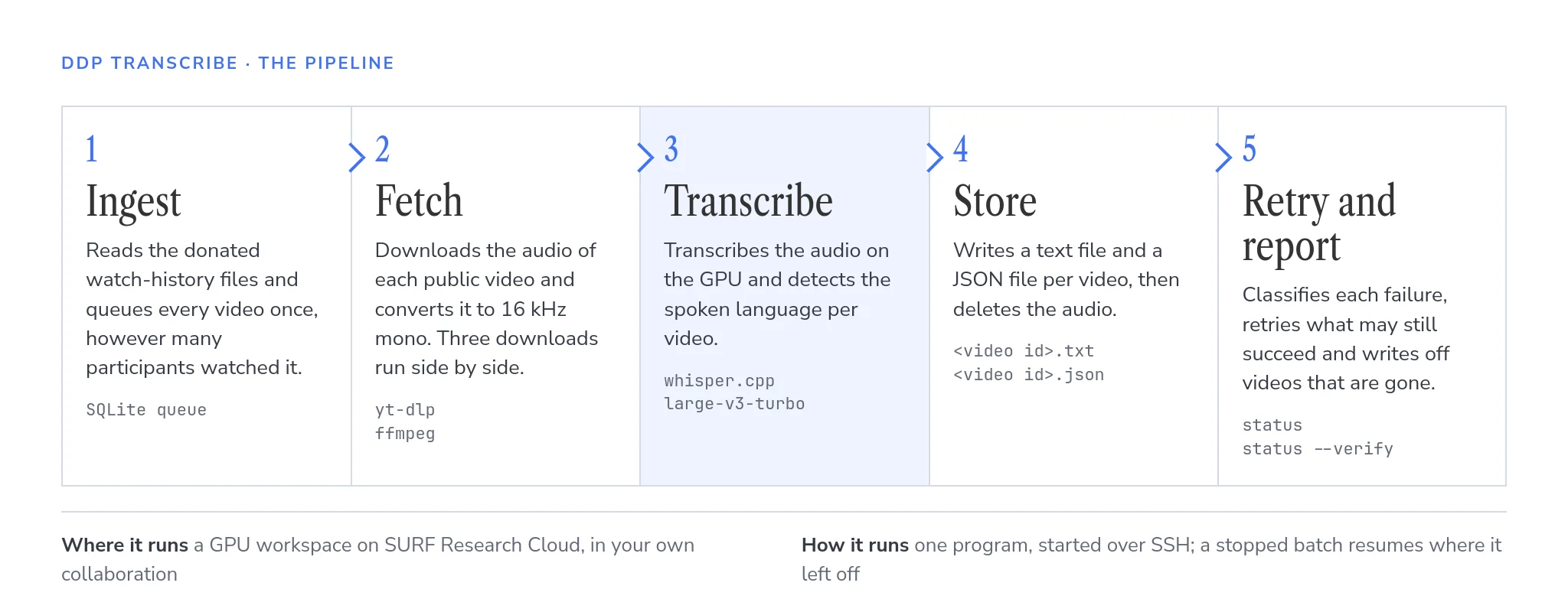
- Ingest. It reads the files and queues each video once, however many participants watched it. You can limit a run to a period of viewing.
- Fetch. It downloads the audio of each public video with yt-dlp and converts it with ffmpeg.
- Transcribe. It transcribes the audio on the GPU with whisper.cpp and the large-v3-turbo model, and detects the language of each video.
- Store. It writes the transcript and deletes the audio. No audio or video is kept.
- Retry and report. It classifies each failure, retries what may still succeed and writes off videos that are gone. One command shows the counts.
A batch that stops, for any reason, resumes where it left off.
What comes back
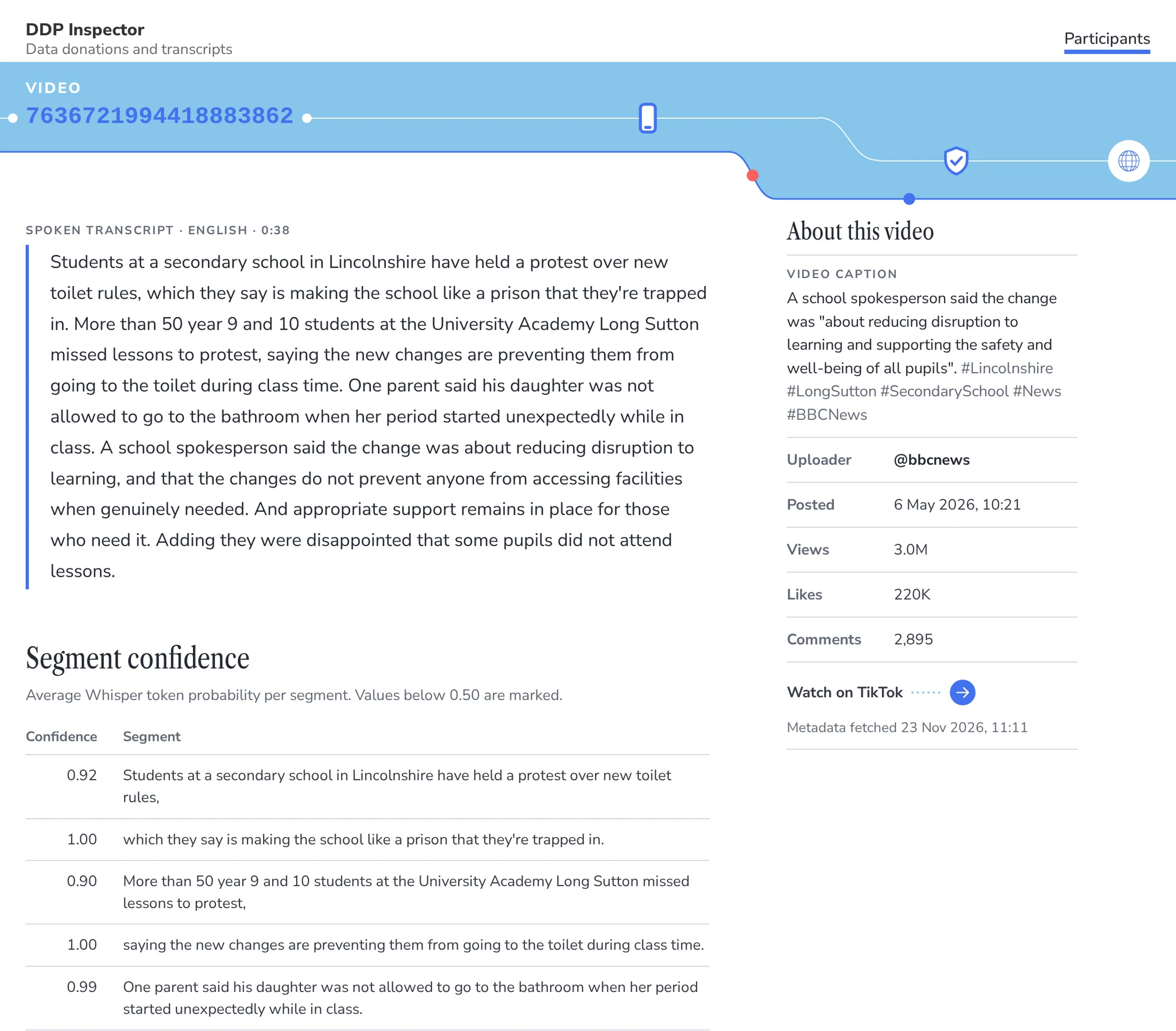
For every video you get two files, named after the video ID. The text file holds the transcript. The JSON file holds the link to the video, its duration, the detected language, the model and the time of transcription. It also holds the probability Whisper gave to every token, so you can set your own threshold for which transcripts to trust. The pipeline also keeps what the platform showed for each video at the time of fetching: the description, the uploader and the numbers of views, likes and comments.
You can read the transcripts in DDP Inspector, next to the donated watch history.
What a study needs
- The watch history files from your data donation study.
- A collaboration on SURF Research Cloud that can start a GPU workspace.
Related Tools
DDP Transcribe is one of three tools on SURF Research Cloud that start from the same donated watch history. DDP Comments collects the comments under the same videos, with student collectors and 4CAT. DDP Inspector shows the donations and the transcripts in the browser, read-only.
Getting access
DDP Transcribe runs on SURF Research Cloud, in your own collaboration. To use it for a study, email DataDonation@uu.nl.